ReConf: A Web-Based Keyboard Configurator
Overview
I have released ReConf, the keyboard configurator for my ReLow series keyboards. It is based on the source code of hmkconf and customized for ReLow series keyboards.
ReLow Series Keyboard Configurator
Supported Browsers
ReConf communicates with the keyboard via the WebHID API. As a result, it only works on Chromium-based browsers such as Google Chrome, Microsoft Edge, and Opera. Safari and Firefox are not supported.
Key Features
Keymap Editing (Remap)
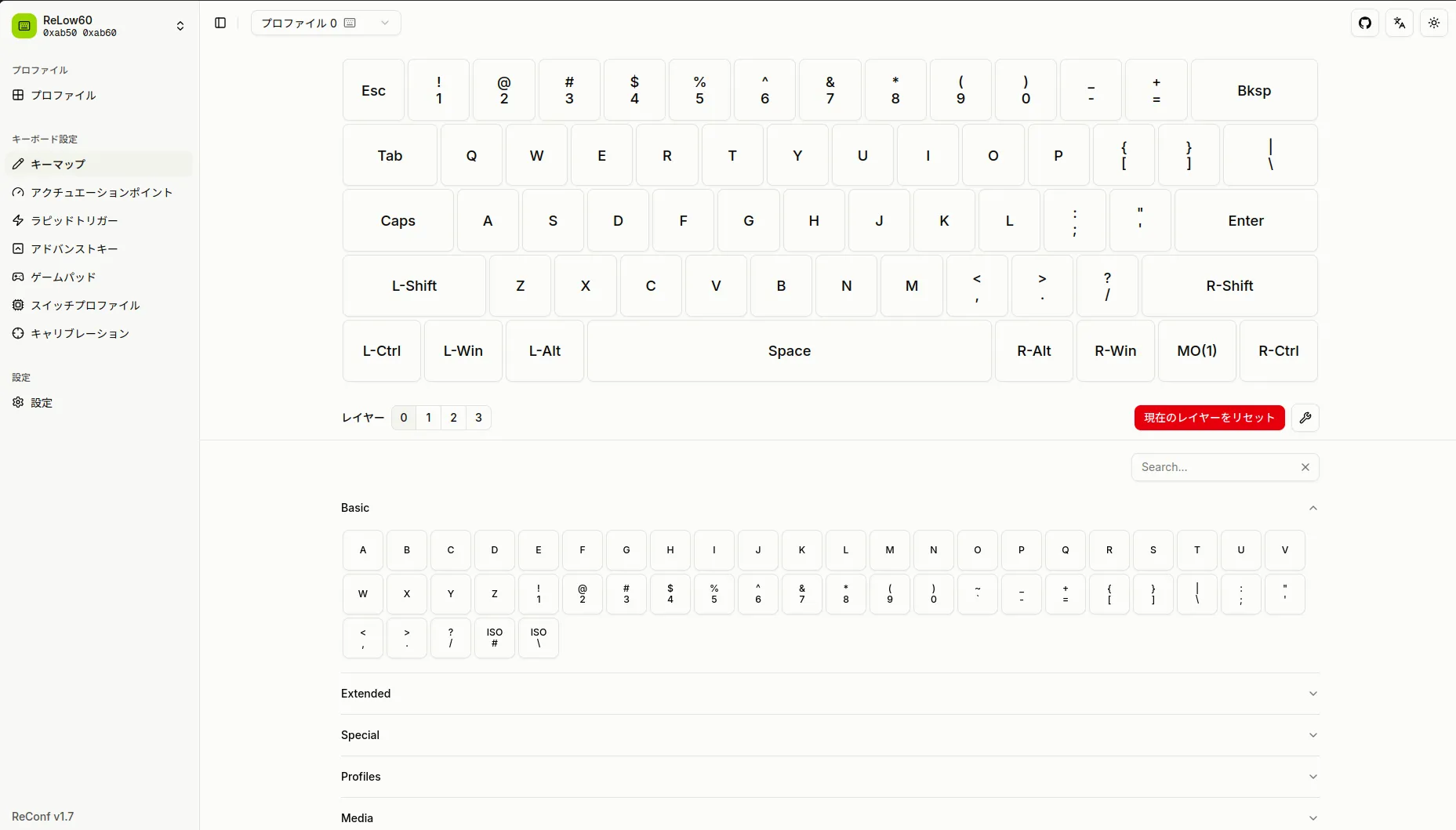
You can edit the function assigned to each key on the keyboard. Different keymaps can be configured per layer, with support for up to 4 profiles × 4 layers.
Assignable keycodes include standard keyboard input as well as media keys, mouse actions, profile switching, gamepad buttons, and more.
Actuation Point
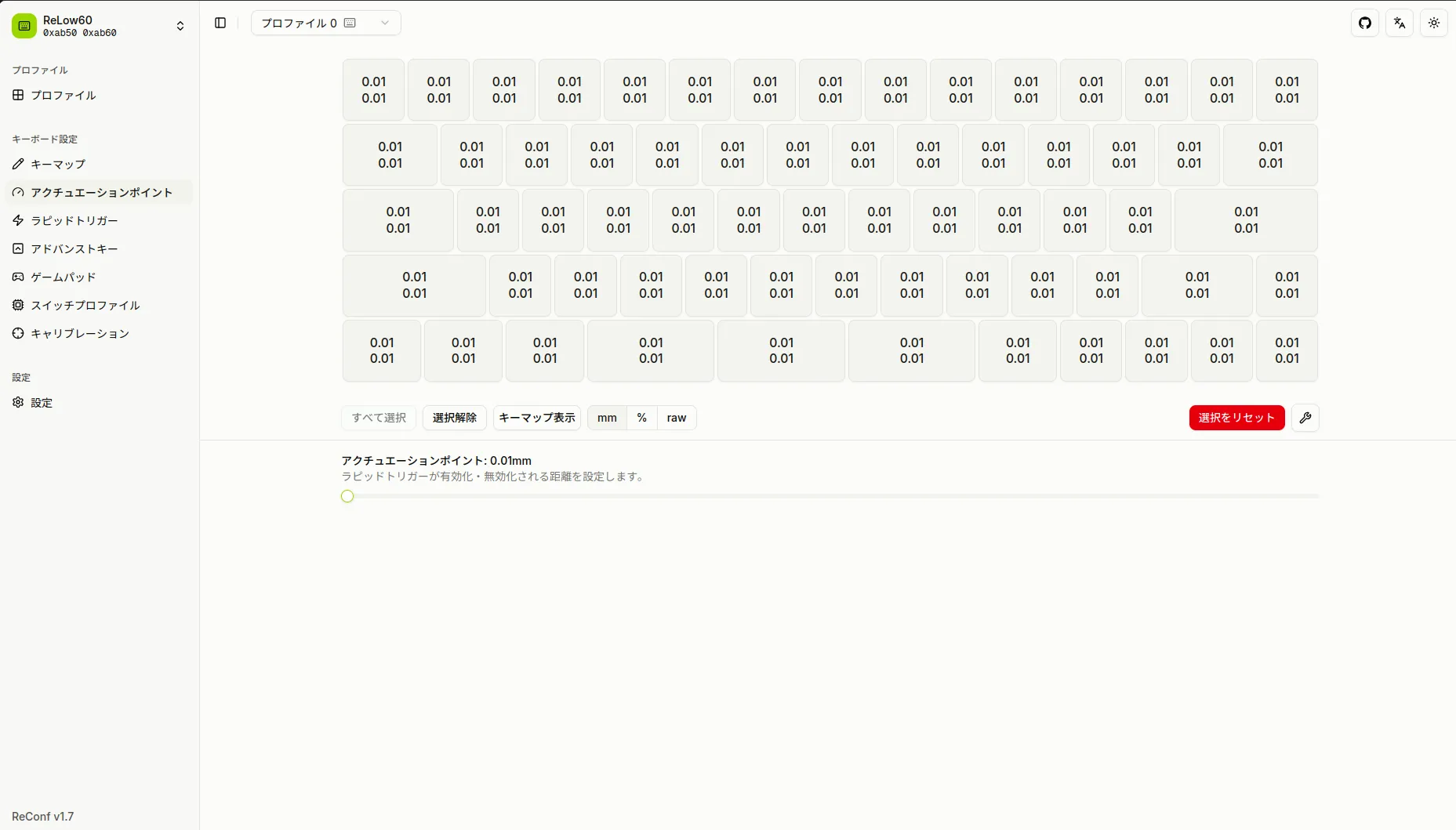
Leveraging the characteristics of magnetic Hall effect sensors, the actuation point (the depth at which a key registers) can be configured per key in 0.01 mm increments. This enables high-precision settings that make full use of the hardware resolution (8-bit, 255 steps).
Bulk configuration is supported, as well as individual per-key adjustment by selecting specific keys. For example, you can set the WASD keys shallower and pinky keys deeper.
Distance Display Mode Switching
The display format for distance values can be switched among three modes: mm, %, and raw.
- mm — Millimeter display based on the stroke configured in the switch profile (e.g., 0.00–1.50 mm for a key with a Red Ghost 1.5 mm switch)
- % — Percentage of maximum travel distance (0–100%)
- raw — Raw hardware value (0–255)
When switches with different strokes are installed together, mm mode displays accurate per-key distances for each switch.
Rapid Trigger
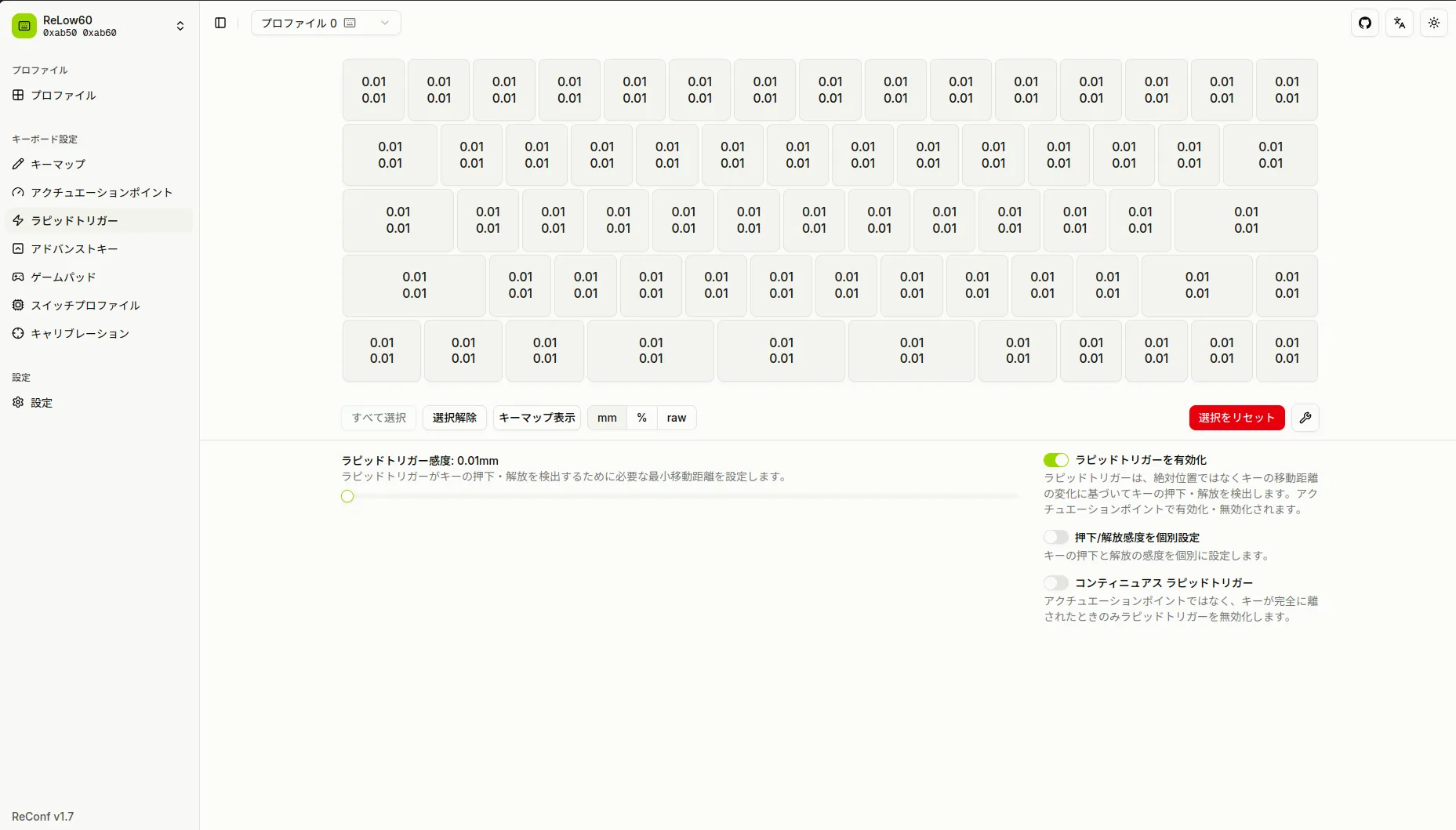
Rapid Trigger is a feature that determines key ON/OFF based on key travel distance rather than a fixed actuation point. It allows you to push the limits of input response speed for key presses and releases in FPS games and similar applications.
Rapid Trigger sensitivity (for both press and release directions) can be configured individually per key. Like the actuation point, mm/% /raw display mode switching is supported.
Advanced Keys
There are four types of advanced key settings for achieving more complex key behaviors.
SOCD (Null Bind)
SOCD (Simultaneous Opposing Cardinal Directions) controls the behavior when two opposing keys (e.g., A and D) are pressed simultaneously. The following modes are available:
- Last Input Priority — The last key pressed takes effect
- Key 1 Priority / Key 2 Priority — One key always takes precedence
- Neutral — Both key inputs cancel each other out
- Distance-Based — The key pressed deeper takes effect
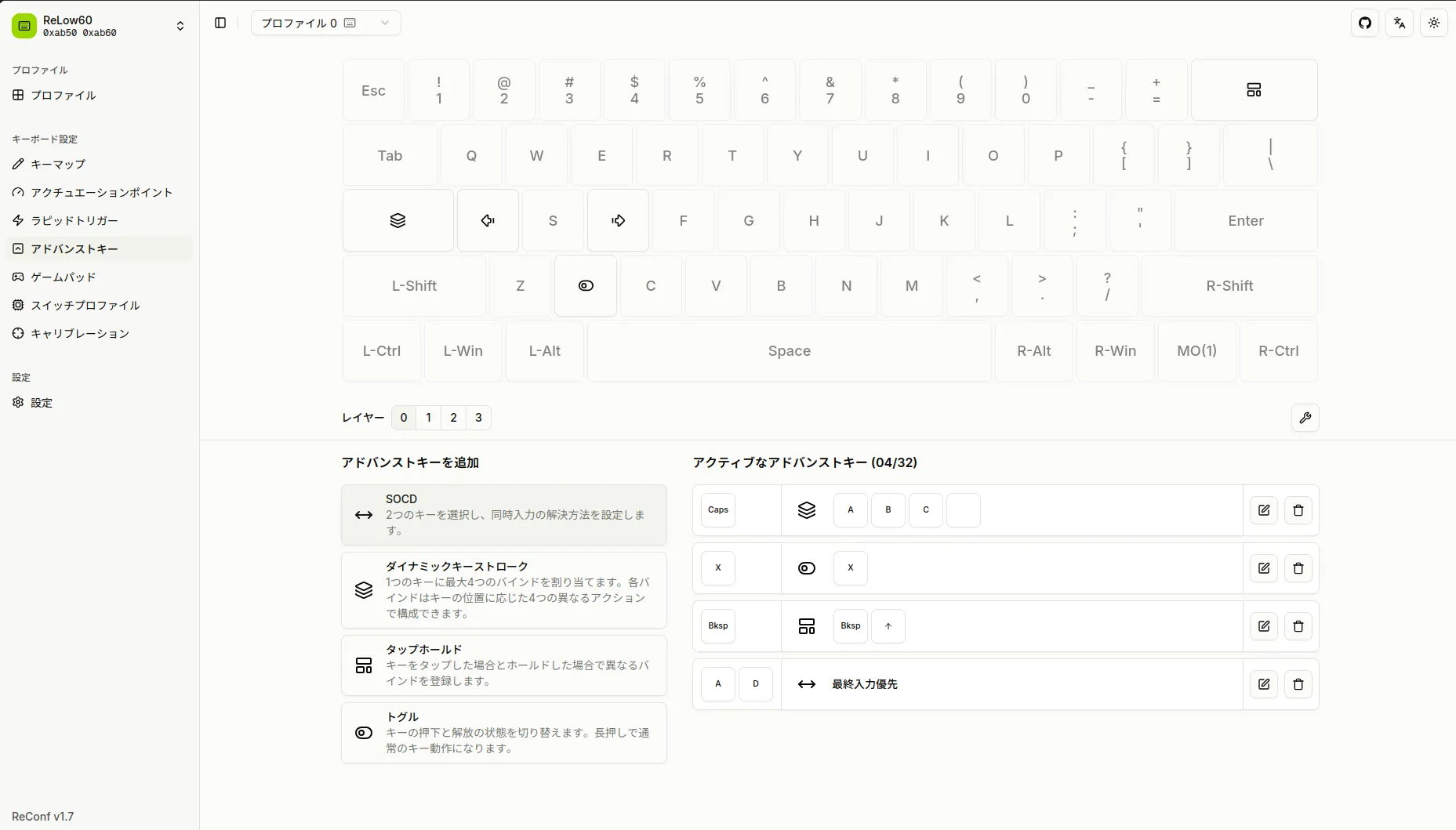
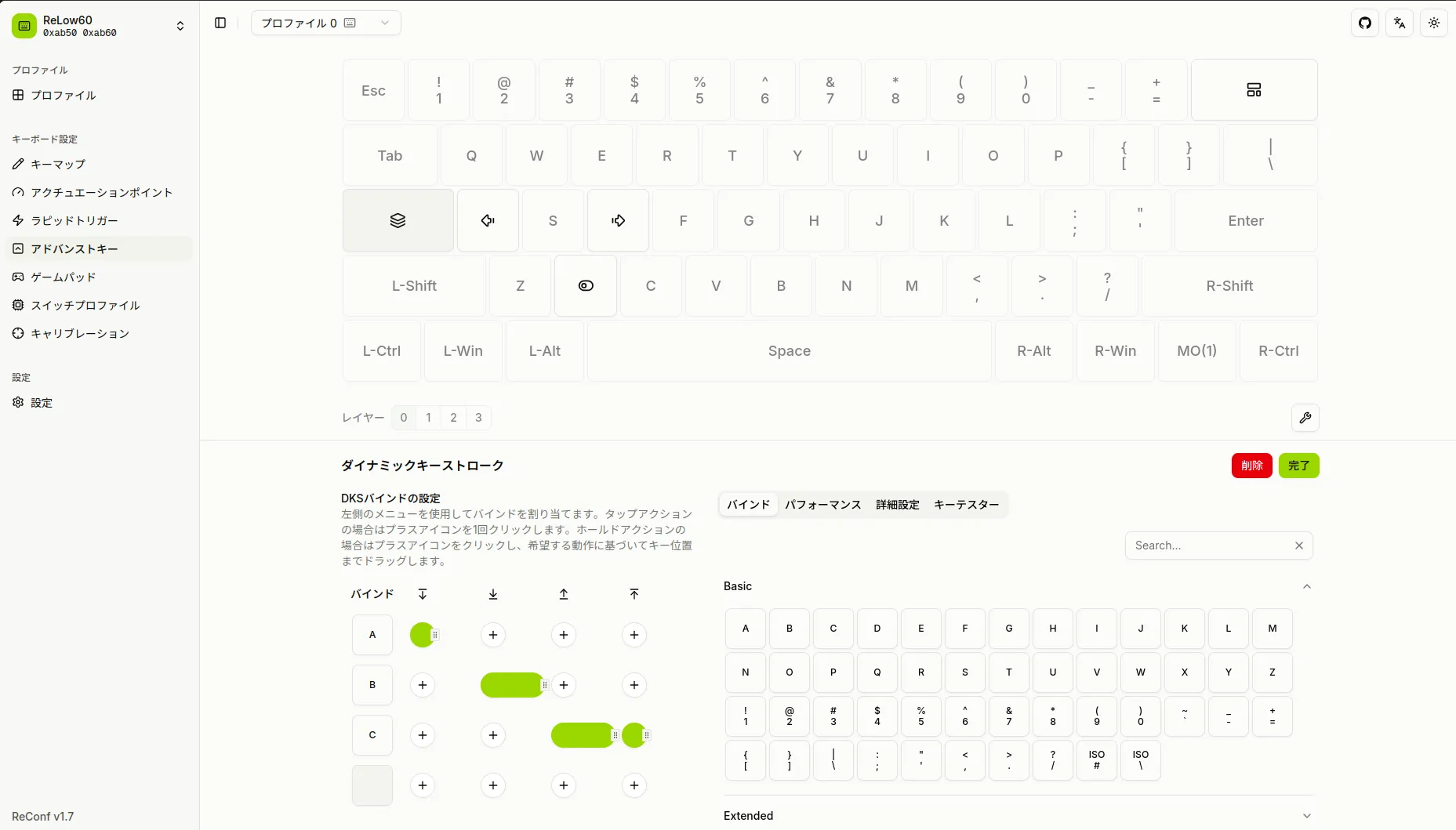
Dynamic Keystroke (DKS)
A key press is divided into four stages (initial press, bottom-out, return from bottom-out, and full release), and different keycode presses/releases can be assigned to each stage. Up to four keycodes can be assigned to a single key, enabling complex input patterns based on press depth.
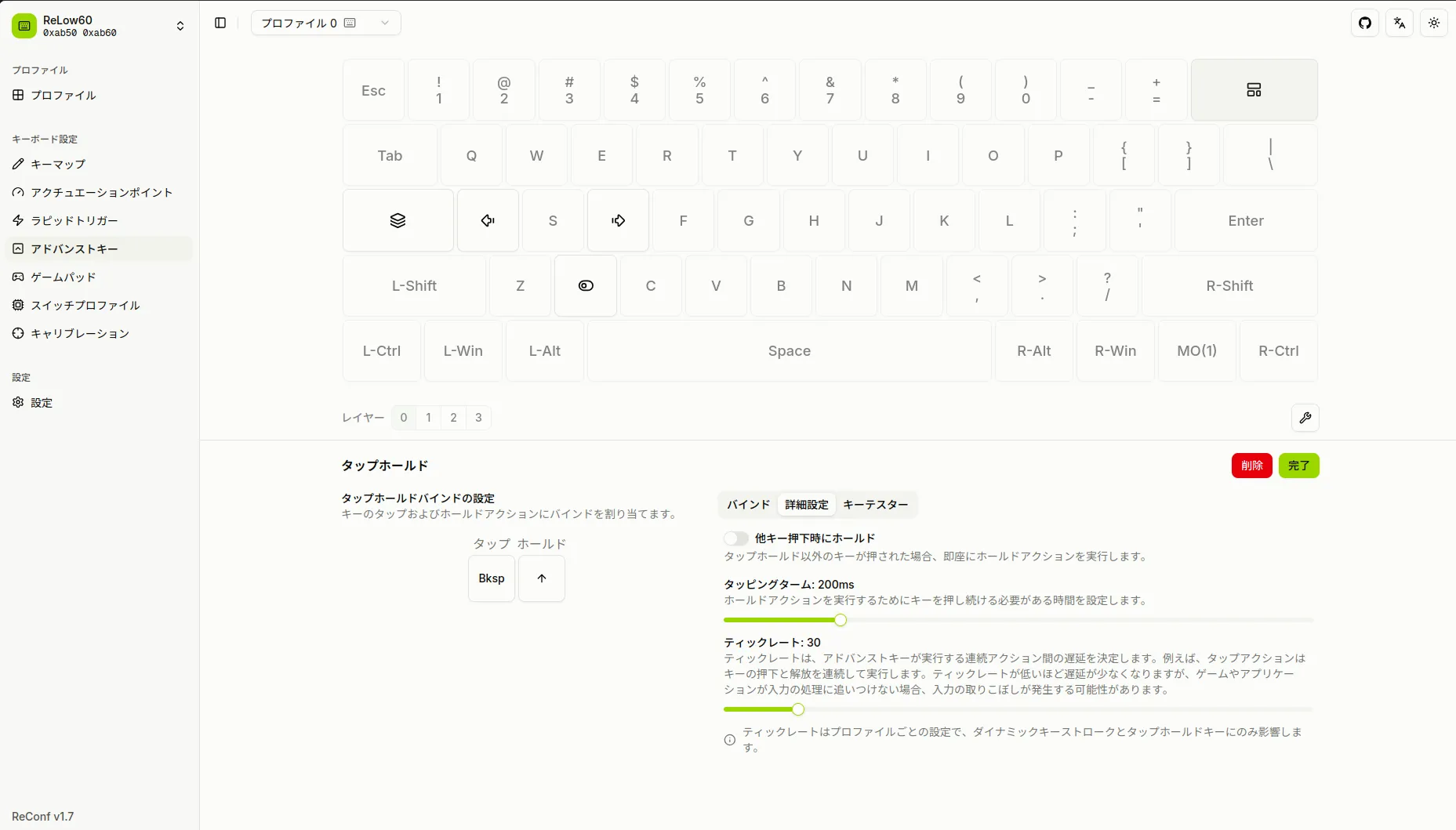
Tap-Hold
Different keycodes are triggered depending on whether a key is tapped briefly or held. For example, Caps Lock can be configured to send Esc on tap and Ctrl on hold. The tapping term is also adjustable.
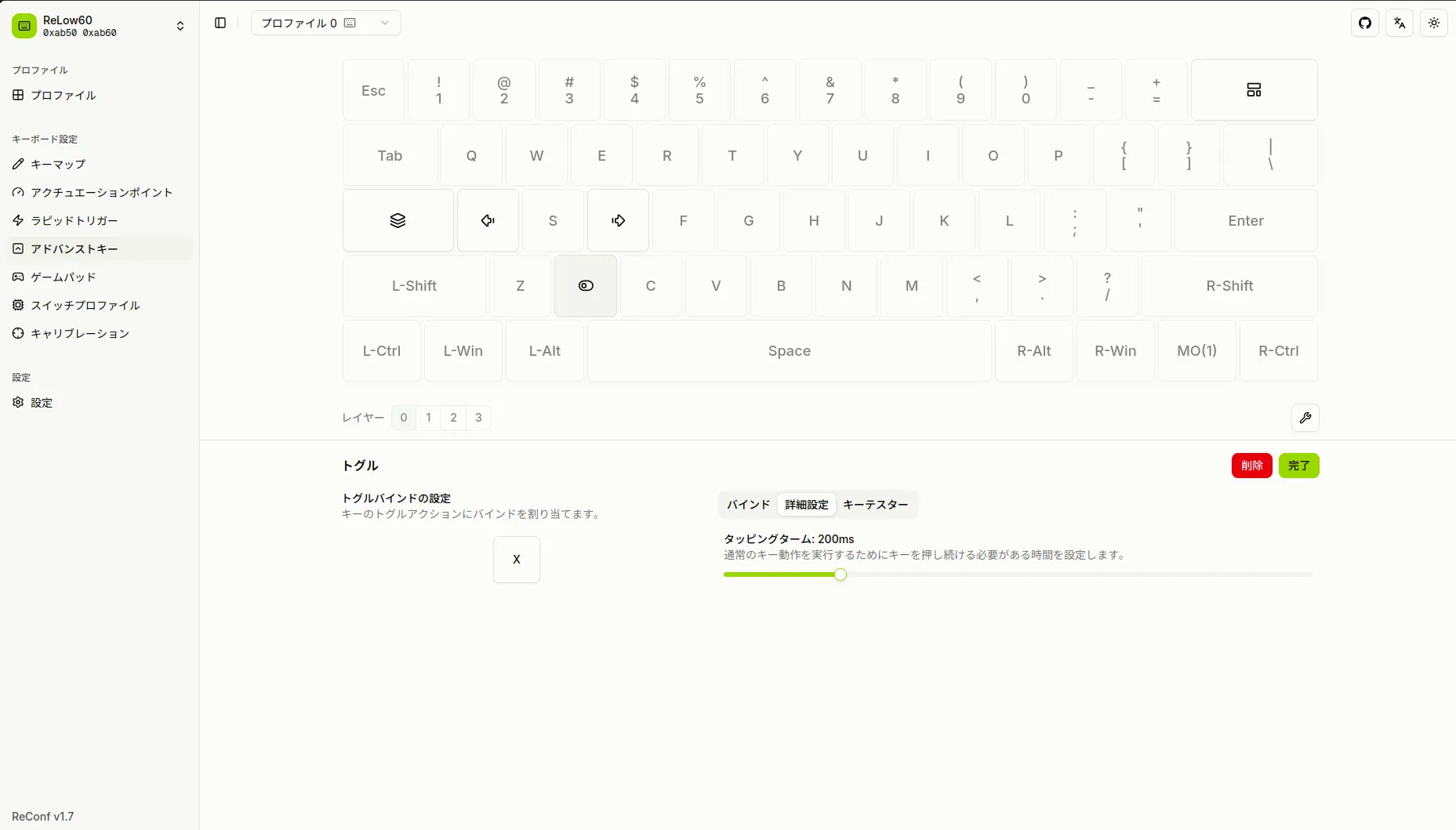
Toggle
Assigns toggle behavior to a key, switching ON/OFF each time the key is pressed.
Gamepad
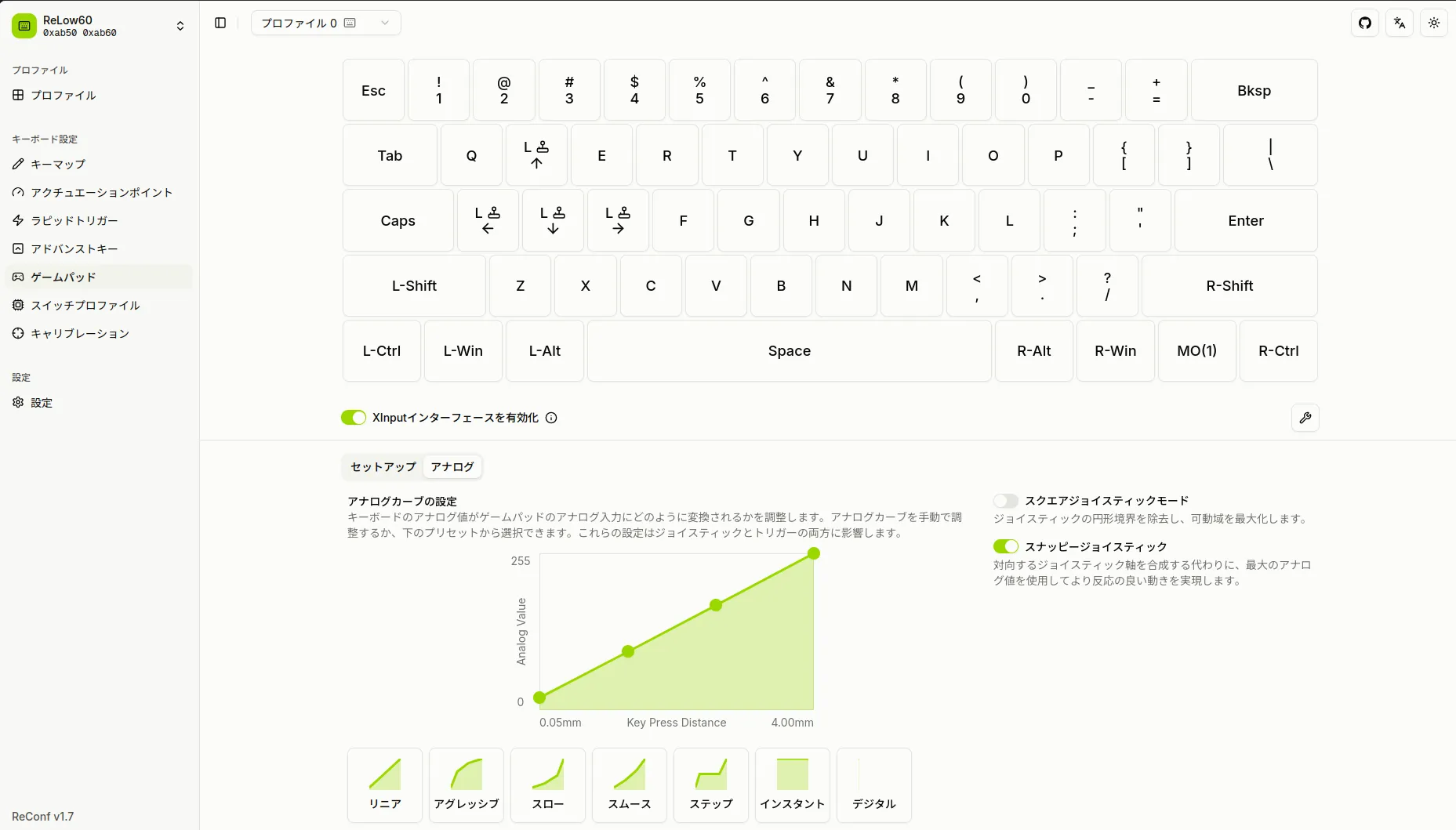
The keyboard features XInput-compatible gamepad emulation. Keyboard keys can be assigned to gamepad buttons or analog stick inputs.
Analog Curve Editor
You can edit the curve used to map the magnetic switch press depth to the analog stick tilt value of the gamepad. Presets such as Linear, Aggressive, Slow, and Smooth are available, and custom curves can also be created via drag operations.
Switch Profile
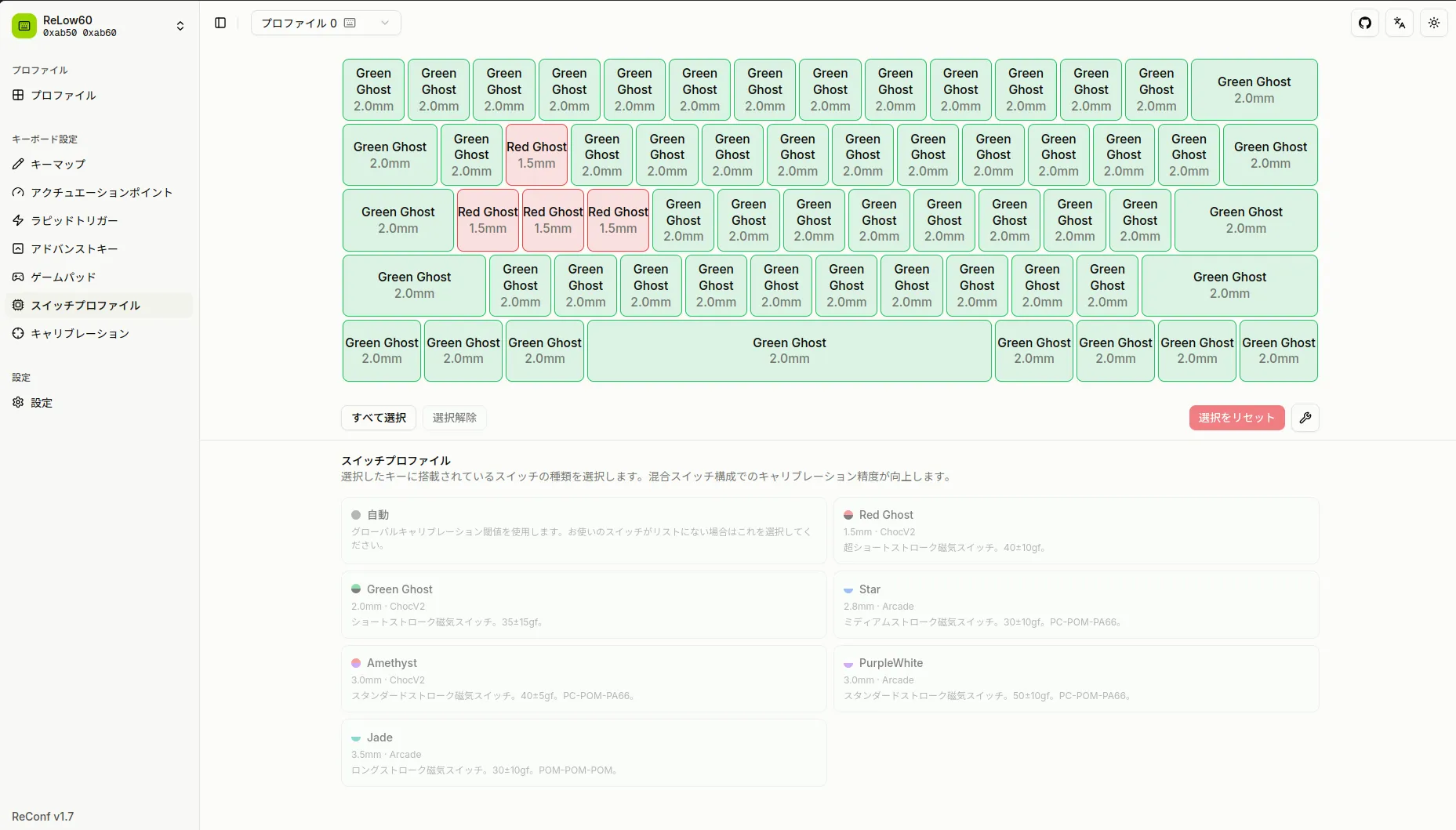
The ReLow60 L-HE supports mixing magnetic switches with different strokes. The Switch Profile setting specifies which switch is installed in each key position.
This allows the firmware to use switch-specific calibration values for accurate distance calculation from the very first use. It also ensures that the mm display for actuation point and Rapid Trigger reflects each switch’s stroke, so accurate distance values are shown even when switches with different strokes are mixed.
Supported switches:
- Red Ghost (1.5 mm) — ChocV2 footprint
- Green Ghost (2.0 mm) — ChocV2 footprint
- Star (2.8 mm) — Arcade footprint
- Amethyst (3.0 mm) — ChocV2 footprint
- PurpleWhite (3.0 mm) — Arcade footprint
- Jade (3.5 mm) — Arcade footprint
Calibration
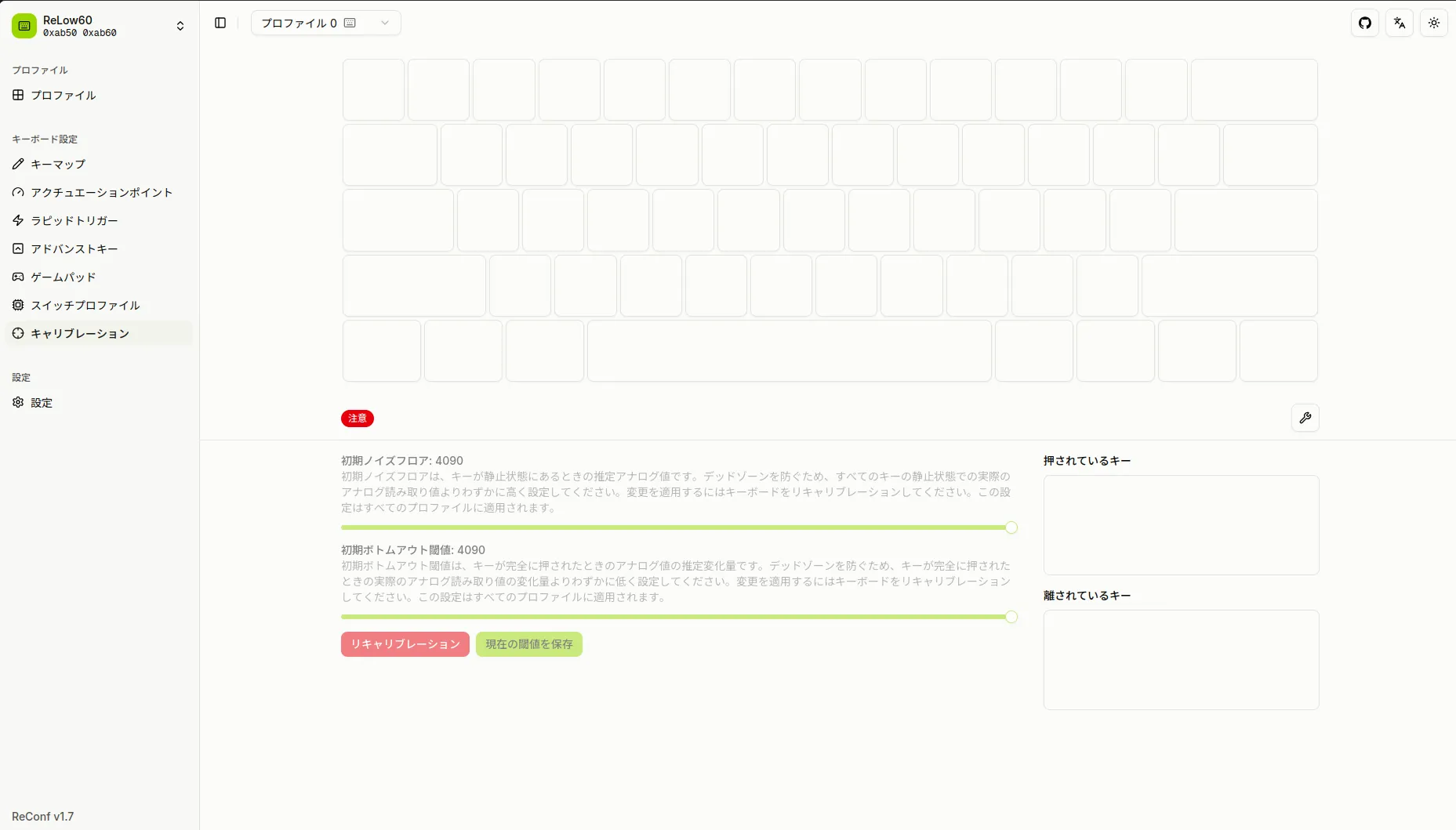
You can view and adjust the bottom-out threshold for each key. Under normal circumstances, auto-calibration optimizes values automatically, but manual fine-tuning is also possible.
Settings
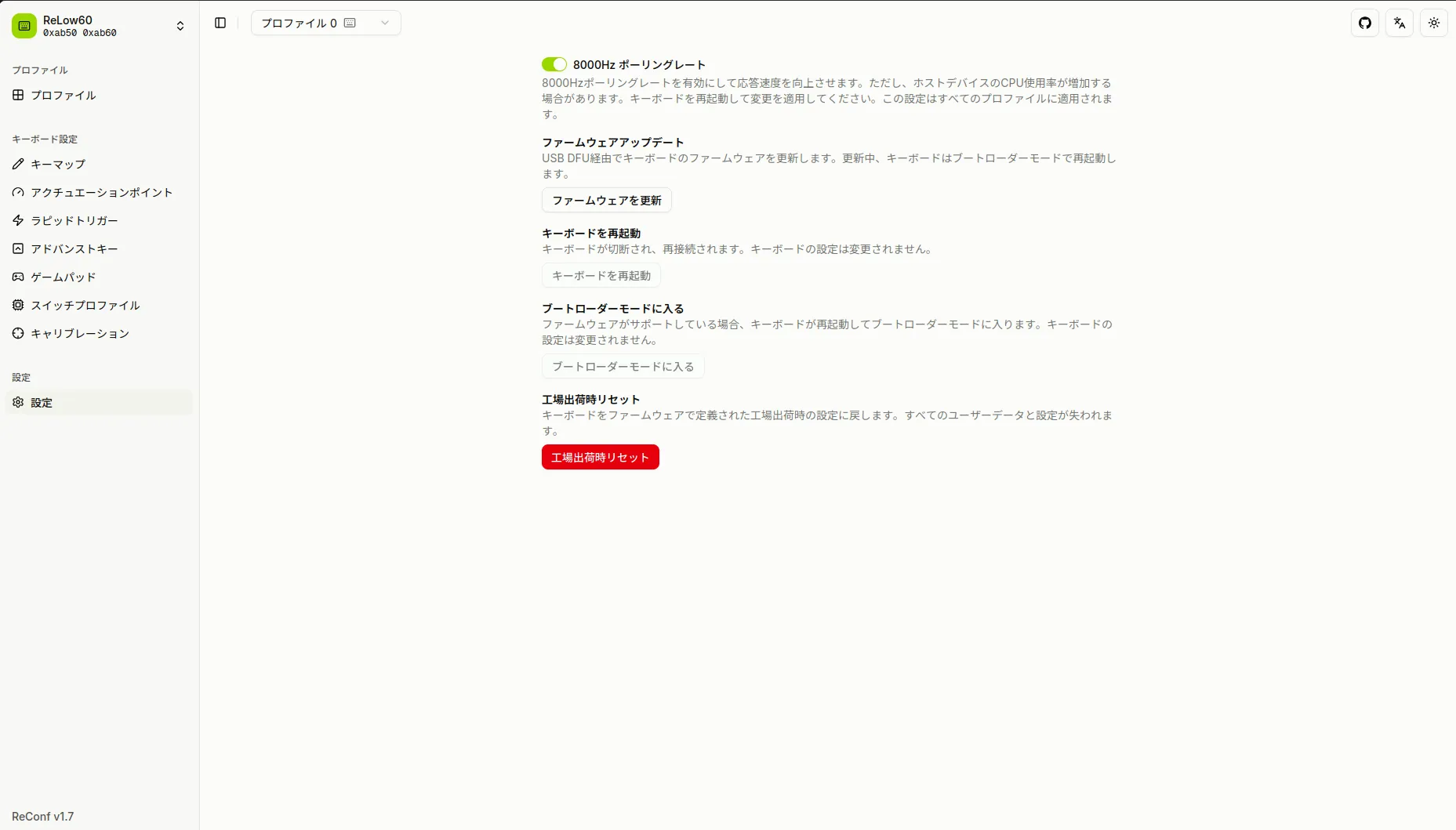
You can check the firmware version, update the firmware, and perform a factory reset, among other options.
Multilingual Support
ReConf supports Japanese and English. You can switch languages using the language toggle button in the upper-right corner of the screen.
Demo Mode
Even without a keyboard connected, you can preview the UI by navigating to /demo.
Preview the UI without a connected keyboard
Source Code
ReConf is published as open source under the GPL-3.0 license.
GitHub - ReConf Source Code
Updates
Feature requests and bug reports are welcome on the ReBotLab official Discord.