ReLow60 L-HE
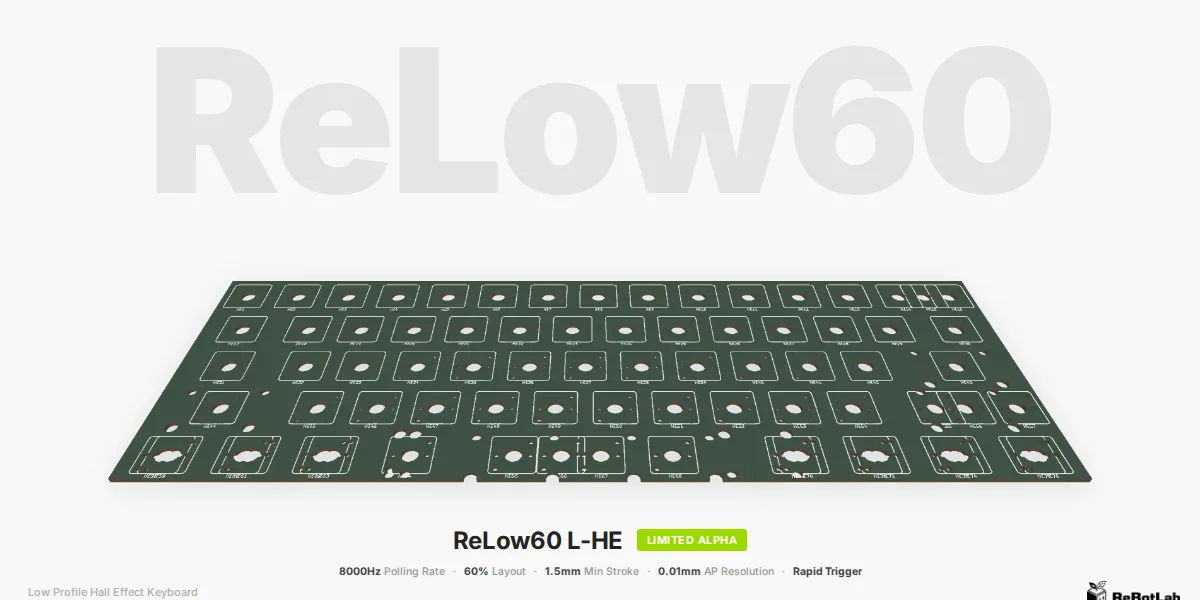
A low-profile 60% magnetic switch keyboard supporting 8000Hz polling rate and a minimum stroke of 1.5mm
Purchase Notice
- Limited production — all sales are final. We will address DOA (dead on arrival) and shipping damage.
- Lead times are estimates based on production, packing, and shipping. Customs clearance may cause delays. A tracking number will be provided.
- For international orders, import duties and taxes (GST/VAT, etc.) are the responsibility of the buyer.
Overview
ReLow60 is a 60% gaming custom keyboard featuring low-profile magnetic switches. It supports an 8000Hz polling rate and is compatible with key switches with a minimum stroke of 1.5mm. The actuation point can be adjusted in 0.01mm increments, allowing you to take full advantage of the key switch stroke. This project is developed based on knowledge gained from Archetype09.
Specifications
| Item | Details |
|---|---|
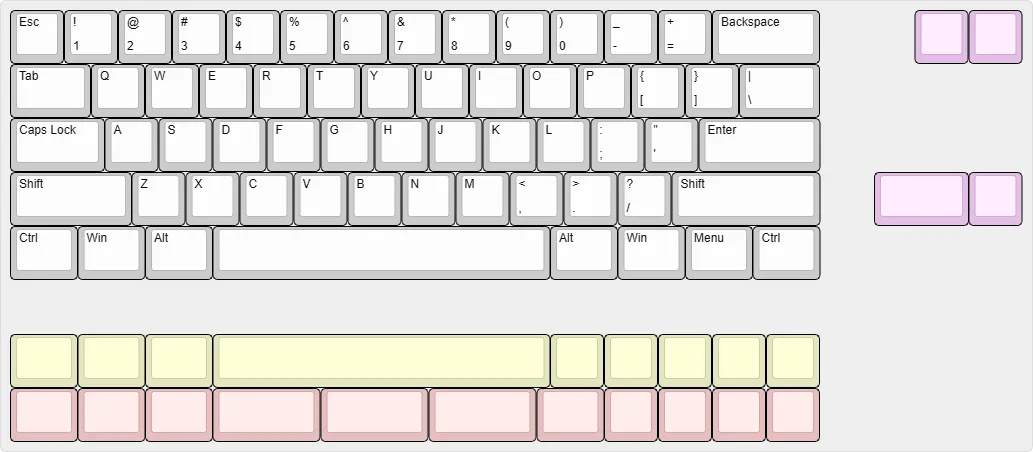
| Layout | 60% size. See below for key arrangement details |
| Switches | Compatible with 6 types of low-profile magnetic switches (see the switch section here for details) |
| Polling Rate | 8000Hz |
| Scan Rate | ~13,000Hz |
| Rapid Trigger | Supported |
| Actuation Point Adjustment | 0.01mm increments |
| LED | None |
| Software | ReConf (based on libhmk) |
| Case | Custom sheet metal case (integrated plate design) |
Software
Via the dedicated configuration tool ReConf, you can change keymaps and configure actuation points, Rapid Trigger settings, and more. See the ReConf introduction article for details.
System Requirements
| Item | Details |
|---|---|
| USB | USB 2.0 or higher |
| OS | Windows 10 or later, macOS 10.15 or later, Linux (must be recognized as a HID keyboard via USB) |
Sales Information
| Hardware Version | Period | Description | Quantity |
|---|---|---|---|
| Limited Alpha | 2026/05/30 | Sold at Gaming Bazaar 2026 Spring @ Osaka. A limited edition for collecting feedback and making improvements. | 14 |
| Closed Beta | From 2026/07 | Planned distribution to reviewers, feedback collection, and review posting. | TBD |
| Open Beta | Summer 2026 (approx.) | General sale | TBD |
ReLow60 L-HE Limited Alpha
The Limited Alpha is the version sold at Gaming Bazaar 2026 Spring @ Osaka on May 30, 2026. It is a limited edition intended for collecting feedback and incorporating improvements, with a quantity of 14 units.
Pricing
| Product Name | Description | Price | Stock |
|---|---|---|---|
| ReLow60 L-HE Limited Alpha (with BackSpace / Right Shift split) | PCB + case set. | ¥25,000 | 7 |
| ReLow60 L-HE Limited Alpha (no split) | PCB + case set. | ¥25,000 | 7 |
| Red Ghost Magnetic Lowprofile Switch 70pcs | Low-profile magnetic switch, 1.5mm stroke | ¥10,000 | 5 |
| Green Ghost Magnetic Lowprofile Switch 70pcs | Low-profile magnetic switch, 2mm stroke | ¥10,000 | 5 |
| Amethyst Magnetic Lowprofile Switch 70pcs | Low-profile magnetic switch, 3mm stroke | ¥5,000 | 10 |
Customers who purchase this product are asked to join the official Discord server. Upon joining, you will be granted the Limited Alpha Tester role. This role grants access to channels exclusive to Limited Alpha purchasers, and is planned to be used for future tester recruitment for new products and gathering feedback on new features.
Key Layout
This is a 60% keyboard. You can choose the spacebar split configuration and the number of keys in the bottom-right row. As shown in the figure below, BackSpace, Right Shift, and spacebar splits are supported. The number of units available is limited.
Package Contents
- ReLow60 L-HE Limited Alpha PCB
- Custom sheet metal case
Items Sold Separately
- Low-profile magnetic switches (planned to be sold simultaneously; purchasing from other vendors is also acceptable)
- Keycaps — Cherry Profile, XVX Lowprofile, Nuphy BoW NSA, Nuphy Berry Profile, or other low-profile keycaps
- Gateron Low-Profile Stabilizers (Gateron low-profile stabilizers are required; standard stabilizers are incompatible due to height differences. The number required depends on your desired layout)
- USB cable (USB-C to USB-A or USB-C to USB-C)
- Phillips screwdriver and other tools for assembly
- Slim-head machine screws M2 3mm × 7 (available from Yushakobo, etc.)
- Slim-head machine screws M2 4mm × 7 (available from Yushakobo, etc.)
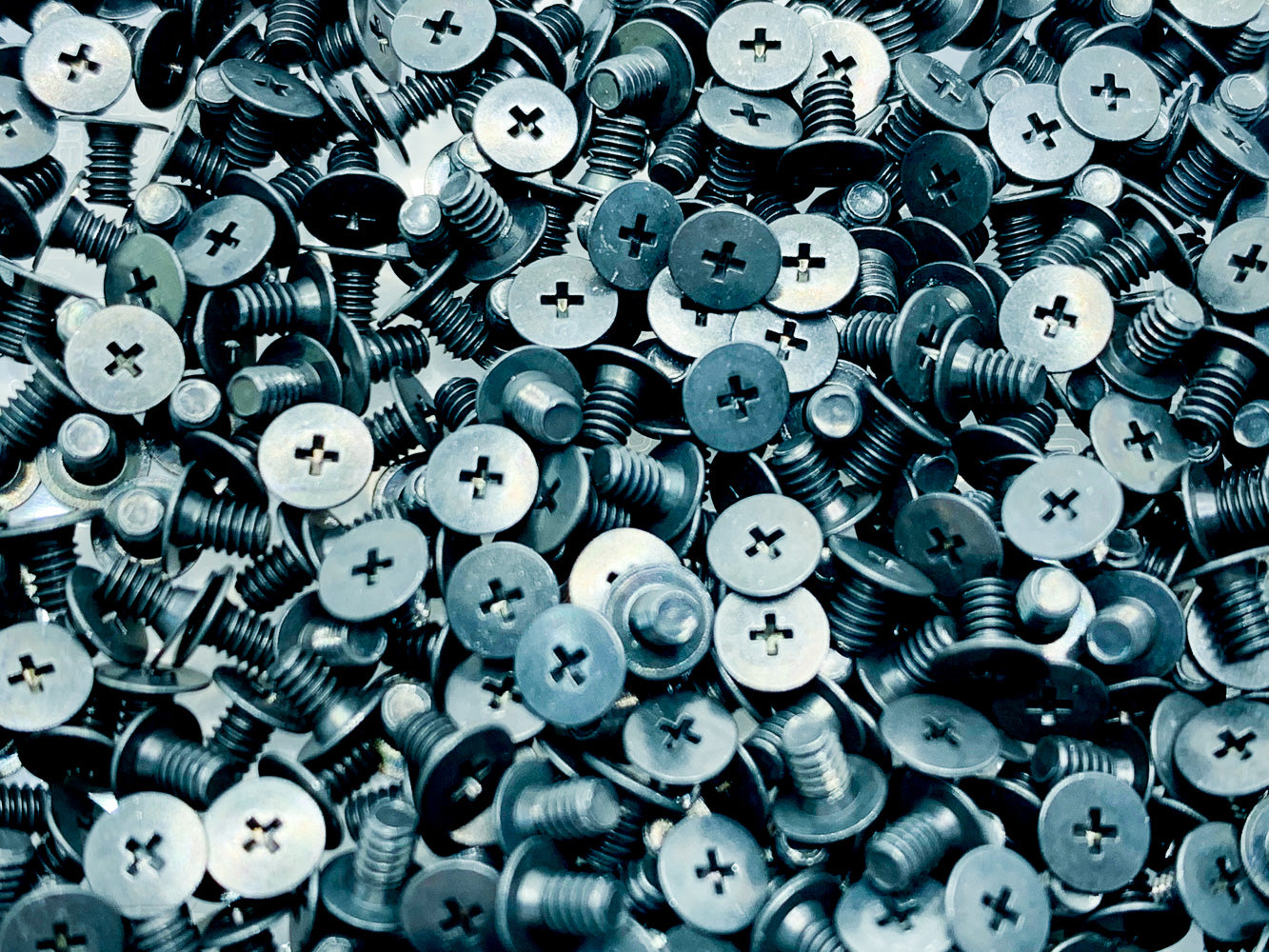
仕様 材質:鉄 処理:三価黒
- M2×3.5mm spacers × 7 (available from Yushakobo, etc.)

仕様 材質:快削黄銅(C3604BD) カドミウム含有量75ppm未満処理:ニッケルメッキ(Ni)
- Tools such as a switch puller or keycap puller, rubber feet, etc. as needed
- Cutting and filing tools (required for machining the USB-C connector opening)
Assembly Instructions
These are brief instructions for now; a detailed assembly guide will be published at a later date. If you have any questions about assembly, please ask in the ReLow60 channel on the ReBotLab Official Discord.
- Attach the stabilizers to the top case.
- Install the switches into the top case, taking care to align the PCB sensor positions with the magnet orientation of the switches.
- Align the PCB with the top case and switch legs, then press the PCB onto the switch pins.
- Being mindful of orientation, secure the 3.5mm spacers to the bottom plate using M2 3mm screws.
- Use M2 4mm screws to fasten the top case to the bottom plate. Be careful not to overtighten the screws.
- Attach keycaps to the switches.
- Connect the USB cable and verify that the keyboard is recognized by your PC.
Usage Notes & Troubleshooting
Due to the design, there are usage considerations that differ from standard keyboards. Please review these carefully before purchasing.
- If the AP or RP values configured in ReConf are set too short, keys may behave erratically. In particular, if the AP is set too short, key inputs may register even when no key is being pressed. Although the AP can be adjusted in 0.01mm increments, it is recommended to start with a longer value and work downward.
- If your PC becomes unresponsive to input, keep the USB-C cable connected, then hold the BOOT button on the back of the keyboard while re-inserting the USB-C cable to reset all settings to their defaults. After confirming the keyboard is recognized by your PC in this state, reconfigure your settings via ReConf.
- If a forced firmware update is required for any other reason, hold the BOOT button and press the adjacent NRST button. This will enter DFU mode (firmware flashing mode). After confirming recognition by your PC, re-flash the firmware using the designated procedure.
Important Notes (Please read before purchasing.)
- The Limited Alpha is an early development version. Specifications may differ from other versions.
- A PC and USB connection are required for firmware flashing. The update procedure will be published at a later date; it is recommended that only those who are comfortable following the same update procedure as the HE60 purchase this unit.
- On some units, certain keys that support layout changes may have loose switch retention. Turning the keyboard upside down or applying impact while facing the underside may cause switches to disengage.
- Compatibility issues may arise with certain USB-C cables. Do not force the connector; try a different USB-C cable instead. Alternatively, you may use an inexpensive USB cable and trim the plastic shell of the USB-C connector slightly with a cutting tool. Detailed instructions for this modification will be published in the future.
- Please handle the aluminum sheet metal case with care. Scratching, dropping, or applying strong impacts may deform the case or cause damage to surrounding objects.
- Returns and exchanges are not accepted except in cases of initial defects.
We appreciate you sharing your feedback in the ReLow60 channel on the ReBotLab Official Discord.